
Building an AI SaaS product requires four decisions before a line of code is written: what AI actually does in your product, which model approach fits your data and budget, how to design for cost at scale, and what to ship first to validate the AI layer quickly.
Most founders come to AI SaaS development with a direction, not a brief. ‘We want to add AI to our platform’ or ‘We’re building something like ChatGPT but for X.’ The problem is that ‘add AI’ is not a spec. It is a starting point. And the decisions that follow it determine whether you ship a product that works at scale or burn through runway on infrastructure before your first paying customer.
This guide is written for technically curious founders who are not practitioners. You understand enough to ask good questions but you are hiring engineers to make the actual calls. The goal here is to sharpen those questions, clarify the tradeoffs, and help you pressure-test the plan your development team is proposing before you commit budget to it.
We have built AI-integrated SaaS products across healthcare, fintech, logistics, and education. The pattern of mistakes is consistent across industries. This roadmap addresses them in the order they actually arise.
What ‘AI SaaS’ actually means in 2026
The term gets applied to three very different products, and confusing them leads to bad architectural decisions from day one.
The first is AI-augmented SaaS. An existing or new SaaS product where AI handles one specific function: document summarization, smart search, anomaly detection, or automated tagging. The core product logic is conventional software. AI is a feature layer on top.
The second is AI-native SaaS. The product cannot exist without the AI component. A contract review tool, a generative ad creative platform, a clinical note assistant. Remove the model and there is no product.
The third is AI infrastructure SaaS. You are selling access to AI capabilities as the product itself. Model APIs, fine-tuning pipelines, vector databases as a service. This is the hardest category to build and the least appropriate starting point for most founders.
Knowing which category you are in changes every downstream decision. AI-augmented products can be built incrementally, with AI added after the core workflow is validated. AI-native products need the model layer working before you can test product-market fit at all. If you are unsure which category you are building in, that ambiguity needs to be resolved before architecture conversations begin. Understanding how AI integration fits into SaaS workflows can help clarify where your product sits.
The four architectural decisions every AI product requires
Before your team writes a line of application code, four questions need answers. Getting them wrong early is expensive to reverse.
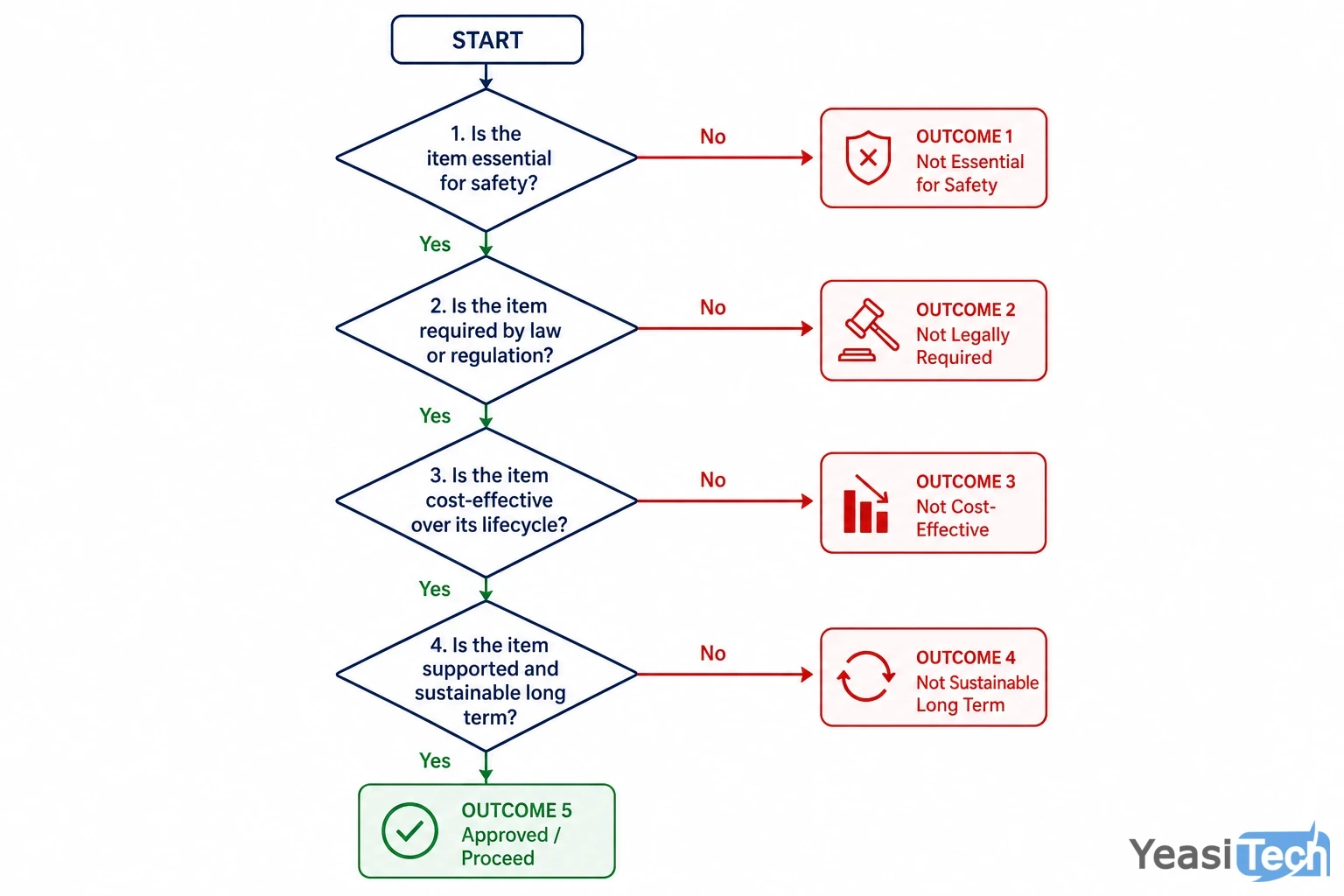
Four yes/no decisions that determine your AI SaaS architecture before any code is written.
1. Do you have proprietary data that changes the output quality?
If yes, you have two options: fine-tuning a base model on that data, or using retrieval-augmented generation (RAG) to inject relevant context into each prompt at runtime. Fine-tuning is appropriate when you need the model to behave differently, not just know more. RAG is appropriate when you need the model to reference specific, frequently updated information. Most founders default to fine-tuning because it sounds more sophisticated. In practice, RAG is cheaper, faster to iterate on, and sufficient for the majority of use cases.
2. Does your product require real-time output or is batch processing acceptable?
Real-time output, where the user sees the response generating word by word, requires streaming API calls and a different frontend architecture. Batch processing, where results are computed and returned as a completed block, is simpler and significantly cheaper per token. Customer-facing chat interfaces almost always need streaming. Backend document processing rarely does. This distinction affects your infrastructure choices and your cost per request.
3. How cost-sensitive is your unit economics model?
Model costs scale with usage. A product that processes 1,000 short prompts per day has a fundamentally different cost profile than one processing 10,000 long documents. The tier of model you use (frontier models like GPT-4o versus smaller, faster models like GPT-4o-mini or Claude Haiku) can produce a 10x to 20x cost difference per request. For many tasks, the cheaper model is good enough. Your team should benchmark output quality across model tiers before defaulting to the most capable and expensive option.
4. Are you operating under compliance or data residency requirements?
Healthcare, finance, and legal products often cannot send raw user data to third-party model APIs. This pushes you toward on-premise model deployment or providers with data processing agreements and regional hosting. On-premise deployment using open-source models (Llama, Mistral) gives you full control but adds infrastructure complexity and eliminates the automatic model improvement that API-based products receive. If compliance is a hard requirement, your architecture must account for it from the start, not as a retrofit.
Designing for model cost before you need to
Cost is the dimension most AI product teams underestimate in early architecture. GPU compute typically consumes 40-60% of technical budgets in the first two years for AI startups, and that is before you factor in API fees for hosted model access. The habits you build during MVP development tend to persist into production.
Four cost levers are worth building into your architecture from the start:
- Model tier selection: Map each task in your product to the minimum model tier that meets your quality bar. Use frontier models for complex reasoning tasks. Use smaller, faster models for classification, summarization of short content, or structured data extraction. Do not pay GPT-4o rates for tasks that GPT-4o-mini handles equally well.
- Prompt compression: System prompts that are verbose by habit rather than necessity add token cost to every single request. Audit your prompts for redundancy. A prompt that achieves the same output in 200 tokens instead of 400 tokens halves your input cost on every call.
- Caching for repeated requests: If a meaningful percentage of your users ask similar questions or trigger similar prompts, a semantic caching layer can serve previous responses without a model call. This is particularly valuable for FAQ-style interfaces and knowledge base search products.
- Asynchronous processing: Not every AI task needs to run synchronously in the user’s session. Background processing with notification on completion is cheaper to infrastructure and removes the latency problem from the user experience entirely. Pair this with serverless architecture patterns to keep idle costs close to zero.
Cost architecture is not a post-launch optimization problem. By the time you have 500 active users surfacing the issue, you are already committed to patterns that are expensive to change.
What to ship first: the AI MVP question
The temptation in AI product development is to validate the AI before validating the product. Founders spend weeks getting the model output to feel impressive before confirming that anyone will pay for what it produces.
The better approach is to separate the AI validation problem from the product validation problem.
First, validate the workflow. Can you describe the before and after state for a user completing a task with your product? Is there evidence that users have this problem and are currently solving it with a worse tool? This validation does not require a working AI layer. A prototype with simulated or manual outputs can confirm whether the workflow itself is valuable.
Second, validate the AI quality threshold. For your specific use case, what does ‘good enough’ output look like? Define this with examples before building. Then test whether your chosen model approach meets the bar. If it does not, you need to know before you build the surrounding product infrastructure.
Third, ship the smallest version of the AI feature that a real user can complete a real task with. Not a demo. Not a playground. A complete task flow. The MVP development approach applied to AI products means shipping something narrow and functional over something broad and impressive.
One practical structure: build the core AI capability as a standalone internal tool first. Use it yourself. Let potential customers use it in a low-stakes context. Collect the failure cases. That data will reshape your prompts, your retrieval logic, and your model choices faster than any amount of pre-launch testing.
The UX layer that most AI products get wrong
AI output is probabilistic. It is sometimes wrong, sometimes inconsistent, and always opaque about its own confidence. The UX of your product needs to account for this, and most AI SaaS products do not.
Three UX problems are consistent across AI products:
Latency without feedback. Model inference takes time. A blank loading state for 8-15 seconds while a document processes is a UX failure even if the output is excellent. Streaming responses, progress indicators, and partial output rendering all address this. Users tolerate waiting better when they can see that something is happening.
Errors presented as outputs. When a model produces a hallucinated, incoherent, or clearly wrong response, products that simply display it without any confidence signal or correction path train users to distrust the entire product. Building in lightweight confidence indicators, flagging mechanisms, or human review queues for low-confidence outputs protects both user trust and your reputation.
No graceful degradation. What happens when the model API goes down? If your AI-native product becomes completely non-functional when the model provider has an outage, your uptime is bounded by a third party’s reliability. Design fallback states. Cache the last good output where it makes sense. Have a clear user message that explains the degradation without exposing your infrastructure.
The UX layer is where AI products win or lose retention regardless of how good the underlying model performance is. A technically impressive AI feature wrapped in a confusing or unreliable interface will churn users faster than a simpler tool with predictable behavior.
How to evaluate a development partner for AI SaaS
Not every software development agency has genuine AI product experience. Building a CRUD application with an LLM API bolted on is not the same as designing an AI-native product architecture from first principles. The gap becomes visible when cost, latency, or compliance requirements surface mid-build.
When evaluating a development partner for AI SaaS product development, four questions separate practitioners from generalists:
- Can they describe a project where they chose RAG over fine-tuning, and explain why? A team with real AI product experience has made this call on a live project. They will have a specific answer with tradeoffs, not a theoretical one.
- How do they handle model cost at scale in their architecture proposals? If cost is not part of the initial technical design conversation, it will become a problem in production. Experienced AI teams build cost controls into the architecture before they become necessary.
- What is their approach when model output quality does not meet the product quality bar? This happens on every AI project. A team that has not thought through their escalation path (prompt iteration, RAG refinement, model swap, fine-tuning) has not shipped enough AI products.
- Do they have experience in your compliance context? Healthcare, finance, and legal AI products carry regulatory requirements that generalist teams frequently underestimate. Ask for specific examples.
For founders exploring AI SaaS ideas or ready to move from concept to build, the quality of your development partner is the highest-leverage variable in the outcome. The technical decisions made in the first six weeks of an AI product build are disproportionately hard to reverse later. Choose accordingly.
Frequently asked questions
What is the difference between fine-tuning and RAG?
Fine-tuning trains a base model on your data to change how it behaves. RAG retrieves relevant documents at runtime and injects them into the prompt so the model can reference them. RAG is faster to iterate on, cheaper to maintain, and sufficient for most use cases where you want the model to know more, not act differently.
How much does AI SaaS product development cost?
Costs vary widely based on model approach, infrastructure choices, and product scope. An AI-augmented MVP using hosted model APIs typically costs less than a custom fine-tuned model deployment. GPU compute alone can consume 40-60% of early technical budgets. Detailed scoping before development begins is the only reliable way to get an accurate figure.
How long does it take to build an AI SaaS MVP?
A focused AI-augmented MVP using existing model APIs can be production-ready in six to ten weeks with a senior-led team. AI-native products requiring custom retrieval pipelines, compliance architecture, or fine-tuning take longer. Timeline depends heavily on how clearly the AI quality threshold and core workflow are defined before build begins.
Is it better to build on OpenAI APIs or open-source models?
Hosted APIs like OpenAI are faster to build on, require no infrastructure management, and improve automatically with model updates. Open-source models give you full data control and lower per-token cost at scale, but require infrastructure investment. Compliance requirements often make open-source the only viable option for healthcare or finance products.
What should an AI SaaS product ship first?
Ship the smallest complete task flow a real user can finish, not a demo. Validate the workflow before the AI layer, then validate that model output meets your quality bar, then build the surrounding product infrastructure. Separating these three validation steps prevents the common mistake of over-building before confirming product-market fit.
Why do so many AI products fail after launch?
The most common failure modes are poor UX design around latency and model errors, cost architecture that does not survive scale, and validating the AI before validating the underlying product need. Technical AI capability is rarely the problem. The surrounding product decisions are where most AI SaaS products lose users.